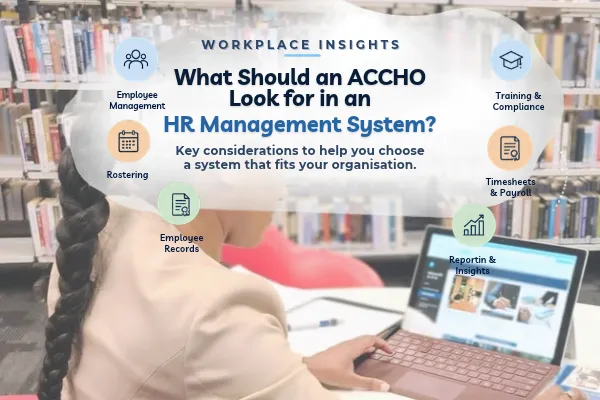
What Should an ACCHO Look for in an HR Management System?
Choosing an HR management system is an important decision for any organisation. For Aboriginal Community Controlled Health Organisations (ACCHOs), the decision can be particularly complex because workforce needs often extend beyond standard employee administration.
A health service may need to coordinate rotating rosters, manage employee credentials, track training, maintain employment records and support staff working across different locations. At the same time, HR teams and managers need systems that are practical to use and suited to the organisation's available resources.
When these responsibilities are managed through separate spreadsheets, email threads and standalone tools, it can become harder to maintain a consistent view of the workforce.
A dedicated HR management system may help bring these processes together. However, not every platform will suit every organisation. The key is understanding what your service needs, which problems require attention and what a new system must deliver to be worthwhile.
Start with your organisation's actual needs
It can be tempting to begin by comparing software features. A better starting point is to review how HR work is currently handled.
Look at the processes that take the most time, create the most confusion or require repeated manual follow-up. These are often the areas where a better system could make a meaningful difference.
For example, your organisation may be experiencing:
Difficulty coordinating rosters across locations or rotating work arrangements.
Time-consuming collection, approval and checking of timesheets.
Employee records spread across multiple storage locations.
Manual tracking of qualifications, clearances and expiry dates.
Inconsistent onboarding processes between teams.
Limited visibility of training completion or outstanding requirements.
Difficulty producing reliable information for internal reviews and reporting.
Not every organisation will experience all these challenges. Some may need stronger roster management, while others may be more concerned with employee records, compliance tracking or onboarding.
Identify your priorities before reviewing platforms. This will help you focus on systems that address real operational needs rather than paying for features your organisation may not use.
Six things to consider when comparing HR systems
1. Workforce and roster management
For health services operating across regional or remote locations, roster management can involve more than assigning employees to shifts.
Rotational arrangements, coverage requirements, travel days and changes to staffing availability may all need to be considered. When rosters are managed manually, keeping information current and communicating changes can become difficult.
Ask prospective providers whether their system can accommodate your actual roster arrangements. If your organisation uses rotating or swing rosters, check whether the platform supports the relevant cycles and operational requirements.
Consider how roster information connects with timesheets and how changes are recorded and communicated. The aim is to reduce unnecessary duplication and give the relevant people access to consistent information.
2. Employee records and document management
A useful HR system should make it easier for authorised staff to maintain and retrieve relevant employee information.
Consider how the platform handles employment documents, employee details, qualifications, clearances and other records your organisation needs to maintain.
Questions worth asking include:
Can employee information be organised consistently?
Can authorised users find the documents they need without searching across multiple systems?
Can changes to employee details and employment arrangements be recorded appropriately?
Can access to confidential information be restricted according to user responsibilities?
Can information be exported or retrieved if the organisation changes systems in the future?
Document management is not simply about storing files digitally. The system should support the way your organisation maintains, reviews and uses employee information.
3. Training, qualifications and compliance tracking
Many workforce requirements need ongoing attention after an employee has completed onboarding.
Depending on the role, this may include professional registrations, qualifications, clearances, mandatory training and refresher activities.
Look for a system that can help you maintain relevant records and identify requirements that need follow-up. If expiry alerts are important to your organisation, ask how they work, who receives them and how outstanding items are monitored.
It is also worth checking whether the system can distinguish between requirements that apply to different roles. A single checklist may not be suitable for every employee.
Remember that software can support recordkeeping and reminders, but your organisation still needs clear procedures for verifying documents, assigning responsibilities and responding to outstanding requirements.
4. Timesheets and payroll processes
Timesheet administration can consume considerable time when employees submit information in different formats or managers need to chase missing entries.
Consider whether the system supports digital timesheet submission, review and approval, and whether it can provide information in a format suitable for your payroll process.
If employees work in locations with unreliable internet connectivity, ask whether the system supports offline use and what happens when information needs to synchronise later.
It is also important to clarify the relationship between the HR platform and your payroll software. Ask whether an integration is available, what information is transferred, and whether any manual checking or re-entry will still be required.
Do not assume that a platform automates every payroll step simply because it includes timesheets. Confirm the actual functionality and workflow before making a decision.
5. Ease of use and support for employees
An HR system needs to work for the people who will use it every day.
Consider the experience of HR staff, managers and employees. Is the interface straightforward? Can employees access the information and functions relevant to them? Can managers complete approvals without navigating an unnecessarily complicated process?
Mobile accessibility may also be important for employees who work across different sites or are not regularly at a desk.
Ask prospective providers to demonstrate common tasks using realistic examples from your organisation. For instance, request a demonstration of how an employee submits a timesheet, how a manager approves it, or how HR identifies an upcoming credential expiry.
A demonstration based on your actual workflows is often more useful than a general presentation of features.
6. Privacy, security and implementation
Employee information can include personal details, employment documents and other sensitive records. Any system you consider should be assessed for its approach to information security and privacy.
Ask providers about access permissions, authentication, data storage, backups, audit trails, incident response and how information is handled when a user leaves the organisation. Confirm which security controls are available under the proposed plan.
Implementation also deserves careful consideration. Moving to a new system may involve cleaning existing records, transferring information, configuring workflows, training staff and changing established processes.
Before committing, ask what implementation support is included, what your team will need to do, how long the transition is expected to take and whether additional costs apply.
A platform may have useful features, but the organisation also needs a realistic plan for putting them into practice.
Consider the needs of your community and workforce
An HR system should support the way your organisation operates rather than forcing every team into a process designed for a different environment.
For ACCHOs, this means considering local operational requirements, the needs of employees working across different locations and the organisation's approach to culturally safe employment practices.
Where onboarding, induction and employee communication are concerned, consider whether the system can support your organisation's own processes and materials. These should be developed in consultation with the relevant people and reflect the organisation's community context and protocols.
Also consider who will maintain the system, how employees will receive assistance and what level of ongoing support is realistic for your team.
The most suitable platform is not necessarily the one with the longest feature list. It is the one that addresses your priorities and can be maintained effectively within your organisation.
How to assess the cost of an HR system
Subscription fees are only one part of the overall cost.
When comparing options, ask for a clear breakdown of:
Initial setup and implementation fees.
Ongoing subscription charges and how pricing changes with employee numbers.
Costs for additional modules, users or integrations.
Data migration and configuration expenses.
Training and ongoing support.
Contract terms, renewal conditions and data export arrangements.
It is also useful to consider the administrative time your organisation currently spends on manual processes. While these savings should not be assumed, estimating the time spent on repetitive tasks can help you assess whether a proposed system offers practical value.
Compare the total cost with the problems the system is expected to address. This creates a more realistic basis for deciding whether the investment makes sense.
A practical checklist for your software evaluation
Before choosing a platform, use the following questions to guide your assessment.
Area | Questions to ask |
|---|---|
Workforce management | Can it accommodate our roster arrangements and locations? |
Employee records | Can authorised staff maintain and retrieve records consistently? |
Compliance | Can it track relevant qualifications, clearances and training requirements? |
Timesheets | Does it support our submission, approval and payroll processes? |
Usability | Can employees, managers and HR staff use it with minimal confusion? |
Security | Are access controls and privacy safeguards appropriate for our needs? |
Implementation | What setup, data migration and training will be required? |
Cost | What is the total cost, including integrations and ongoing support? |
Flexibility | Can the system accommodate changes as our service grows? |
Provider support | What assistance is available after implementation? |
Use the checklist to compare a small number of suitable platforms against the same requirements. Ask each provider the same core questions and record any limitations, additional costs or functionality that needs further confirmation.
Where HALO fits into the decision
HALO is Halcyon HR's HR software platform, designed to support workforce management and HR administration.
Its features include swing roster management, digital timesheets, employee-related compliance tracking, credential monitoring, training records, applicant tracking and onboarding and induction support. The platform also includes features supporting workplace risk assessment and related records.
For an ACCHO reviewing its current HR processes, HALO may be worth considering where roster coordination, timesheets and employee compliance information are among the main priorities.
As with any platform, suitability depends on your organisation's specific requirements and the features available in the proposed configuration. Before proceeding, confirm how the system would handle your workflows, what integrations are available, what implementation involves and which functions are included in the relevant service tier.
You can explore the platform here:
Explore HALO: https://halcyonhr.com.au/halo-software
Choose a system that solves the right problems
Selecting an HR management system is an opportunity to review how workforce administration is handled across your organisation.
Begin by identifying the processes that need improvement, involve the people who will use the system and assess potential platforms against clear requirements. Look beyond the feature list to understand implementation, support, security and the ongoing work needed to maintain accurate information.
For ACCHOs, the right system should support the realities of the workforce and help the organisation manage its responsibilities in a more consistent, practical way.
A careful evaluation now can help you choose a platform that fits your needs today while giving your organisation room to adapt as those needs change.
This article provides general information only and is not legal, financial or technology procurement advice. Organisations should independently assess software functionality, privacy and security arrangements, contractual terms and applicable obligations before selecting a platform.